
Today I would like to write about if, else if, else and switch statements. Using if statements, helps me to create dependent conditions that will be executed when those conditions are met.
In general I’ve learned that else if statements always follow after if statements and come before else statements. In JavaScript if statements are evaluated one at the time from top to bottom.
In an If-Else structure, the program evaluates each condition in order and as soon as it finds a true condition, it executes that block and skips the rest.
With independent if statements, I can use multiple standalone if statements ( which not connected by else if or else), and each condition will be evaluated independently. Multiple blocks can execute if their conditions are true.
I will share real-live examples that I learned and show case how these statements can be used.
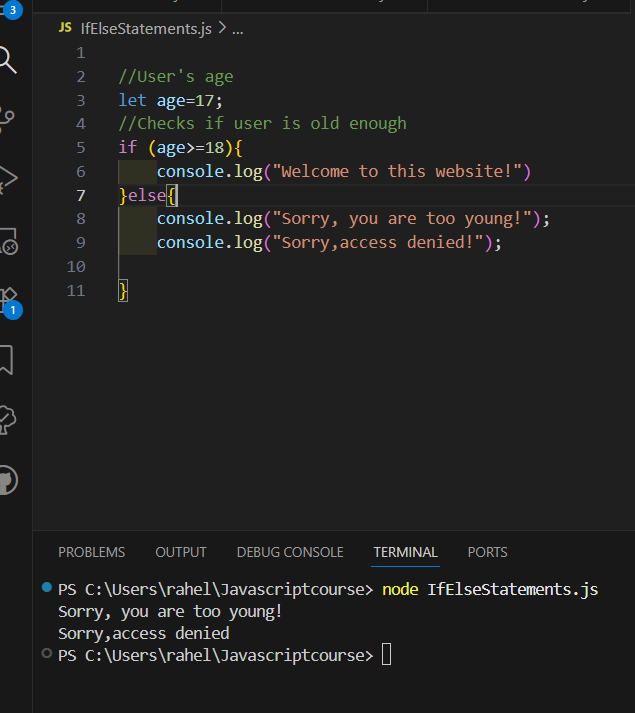
Case 1: An age verification system for a website
Goal:
- Display a welcoming message, when visitors are older than 18
- When visitors are too young, display a message that states that the visitor is too young
- Display message, when visitor can’t access website
I used 1 if + else statement
Before I’ll move to case 2, I need to know about comparison and logical operators, therefore I will share a short summary about it.
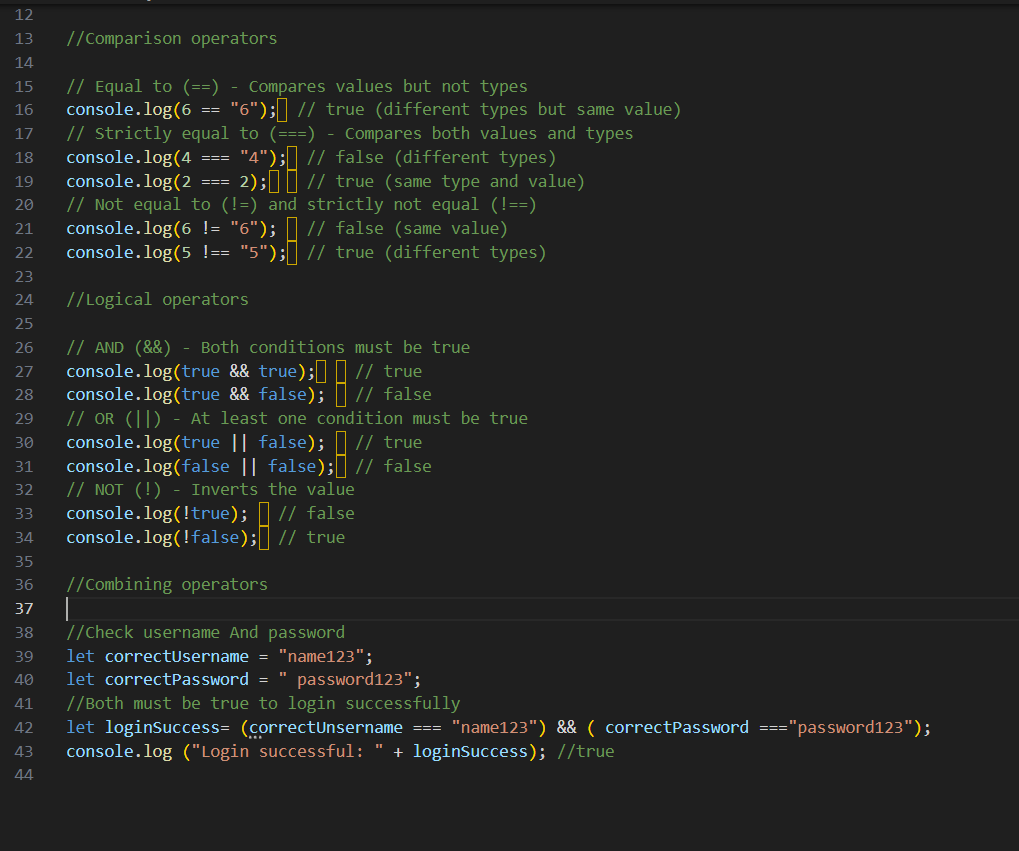
Comparison Operators & Logical Operators
Comparison operators let you test if values are equal, different, greater than or less than each other.
- == compares values after converting them to a common type
- === compares both value and type without conversion
- != allows type conversion
- !== is strict inequality operator
Logical operators can be used to combine multiple conditions and to determine if if-statements are true or false.
- && = both conditions must be true
- || =at least one condition must be true
- ! =inverts the value
Combining operators helps me to create complex conditions, that can check multiple things at once.
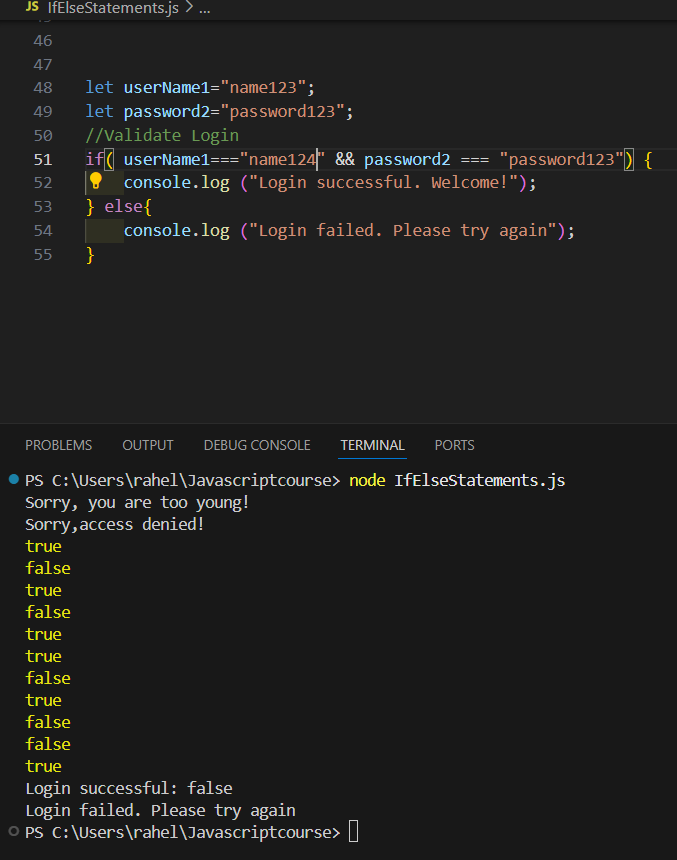
Case 2: Creating a login validation system to check username and password
Goal:
- Check if username and password match the expected values
- Display message, when login is successful
- Display a message, when login is unsuccessful
I used 1 if + else statement
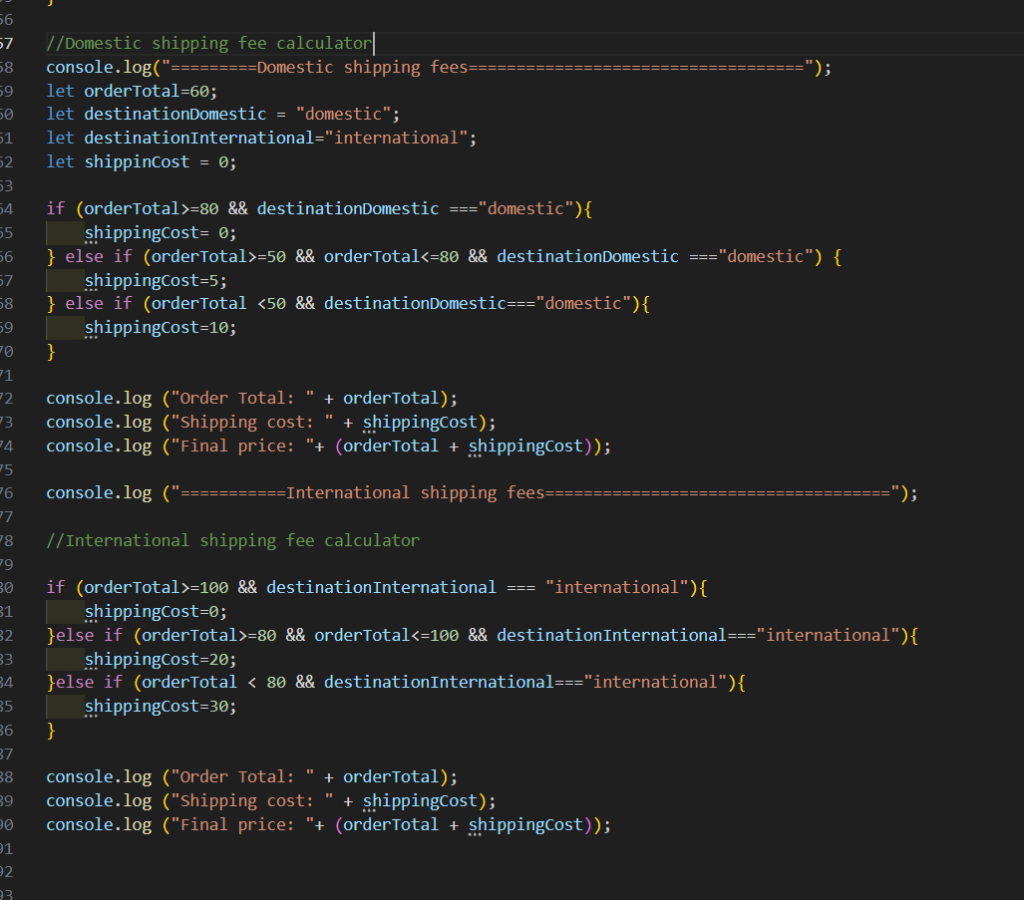
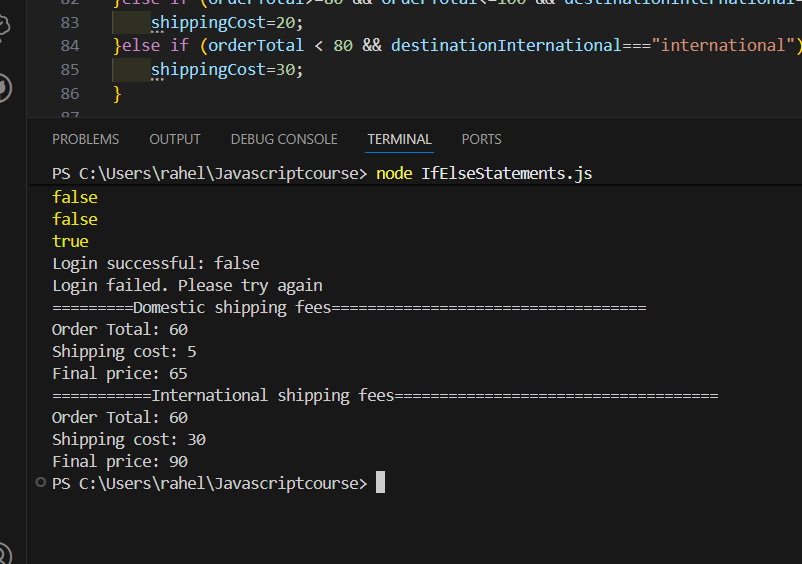
Case 3: Creating a shipping cost calculator
Goal:
Domestic
- Create a free shipping offer for orders over 80 Euro
- Create a shipping fee of 5 Euro for orders over 50-80 Euro
- Create a shipping fee of 10 Euro for orders under 50 Euro
International
- Create free shipping fee for over 100 Euro
- Create 20 Euro shipping fee for orders 80-100 Euro
- Create 30 Euro shipping fee for orders under 80 Euro
I used 2 if + 4 else if statements
And this will be displayed inside terminal:
Case 4: Creating a menu system for a restaurant
For this I will be using a switch statement.
Goal:
Include these 5 items on the menu:
- Burger
- Pizza
- Salad
- Default message for invalid choices
Display for each item:
- Price
- List of main ingredients
I used 1 switch statement
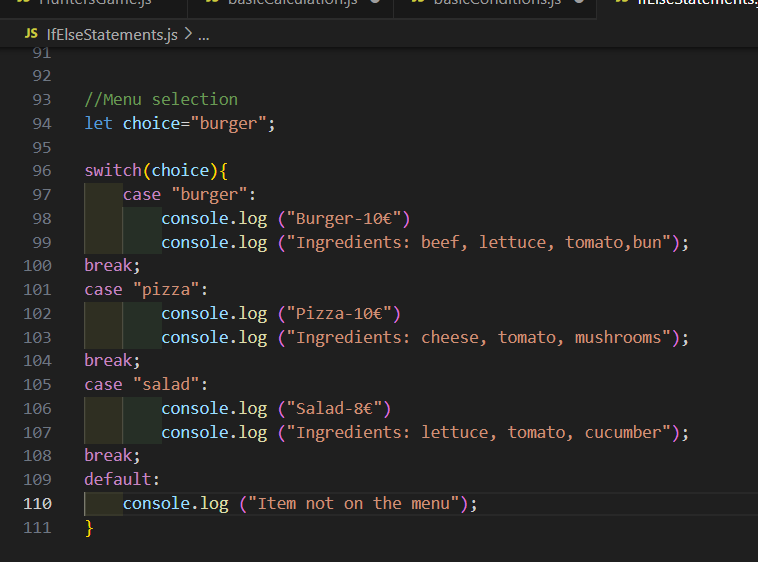
And the outcome inside the terminal would be:
