
In my previous post about “How to set up a game with JavaScript” I explained the essentials, to set up a game with VS Studio code and I also gave a short overview on how to interact with a player by asking questions. Today I would like to focus on a player input and the conversion to a number. In my last post I shared what I have learned about if and else if statements. In this post I will apply my knowledge in a real game development example. I will check the input of a player (converted into a number) with an if and else statement. Furthermore,I will create a main loop, which is going to be a while loop in this case.
For and while loop in JavaScript
A loop in JavaScript is used to execute repetitive tasks. It allows me to run a block of code multiple times based on specific conditions. The difference between a for loop and a while loop is, that for loops are used for known repetitions and while loops are used for condition based repetition. An example from my daily life could be a weight loss goal. If I want to loose 5 kg, I would work out, while I haven’t lost 5kg and once that condition is met, I would stop. On the other side, if I wanted to listen to a specific song on my playlist, and I knew the total numbers of songs, I would use a for loop. To start a loop, a condition must be set to true and to end a loop a condition can be set to false.
Readline.question and display of stats and welcoming message
This is the self set prerequisite. I am asking the player for her name and after the player inserts her name, she will see her current location, which is Birmingham and a short welcome message that displays her stats as well.
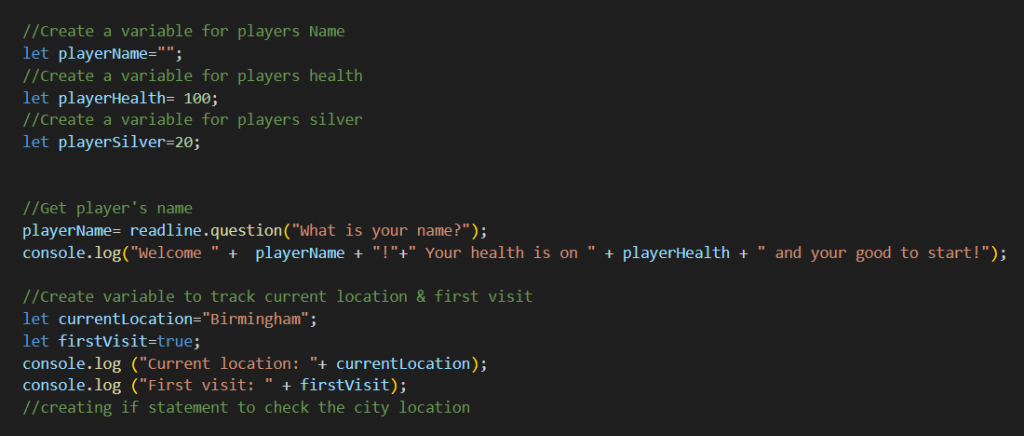

Next, I would like to ask the player where she would like to go next. It is so important to keep the code in the right order for it to run as expected. The while loop follows after the current location check. To keep the game running and to display the input of the player and the handling of the choices correctly, it must be inside the loop.
A closer look into a while loop
Goal:
- Create different paths ( village, Birmingham, market, status, quit)
- Add „invalid number“ for error checking
- Get player’s choice by asking to enter a number
- Create choice handling
- Insert option to end the game
In this example, I have set the following:
If the player is in Birmingham, she receives a confirming message “Yep, this is Birmingham” and the question of “Where would you like to go next?”. The player then can choose between 1.-4. I have done the same for the other two locations, and I have added an error check with an else statement at the end.


Converting a string to a number with parseInt()
This is the part, where the player has to enter a number, to be able to see, where she could go next.

I must convert an input into a number, which I can do with parseInt(). The input I receive from the player, using readline, is always a string and not a number. If the player types 2, JavaScript sees “2”. Therefore, “2” is not equal 2, and it would not match any answer, it will show me “invalid number”.
Handeling players choices with if and else statements
Since the player is in Birmingham, she should see 4 options after she enters a number. Her options are based on her location. There are 3 possible locations (in total) and for each location there should be 4 options. If she changes her location to the village, her 4 options should depend on her current location.
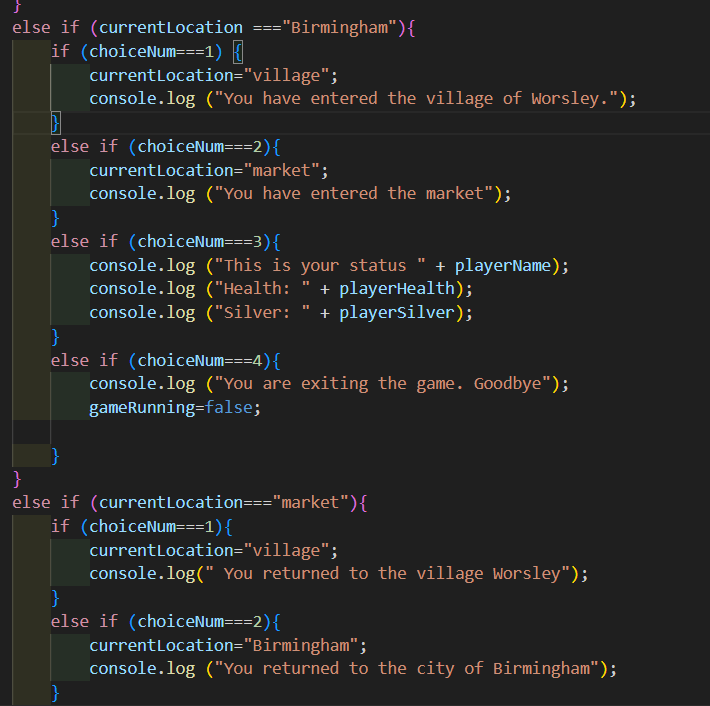
If she had chosen 1, she would have entered the village. She chose 2, so she entered the market. Since this block of code is inside the loop, it will repeat this cycle endlessly, unless I set the the variable gameRunning to false, which I have under (choiceNum===4). While located in Birmingham or the market, if the player enters 4, she will end the game.
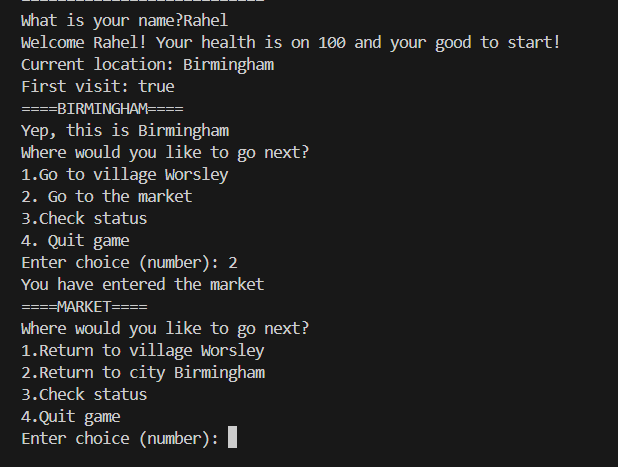
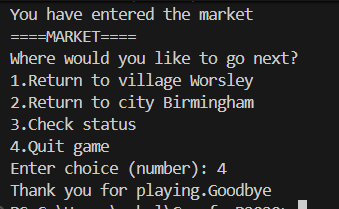
Click here, to see the loop outcome in action.